

⚡ Aether Renderer
Turn web animations and PNG frame sequences into transparent video — WebM, ProRes MOV, GIF or MP4. Rust crates, a CLI and a desktop app. Website: web2vid.com


Animation tools, canvas sketches and AI generators love to export PNG frames with transparency. Turning them into a video that keeps that transparency is surprisingly fiddly: the right codec, the right pixel format, even frame sizes, natural frame order, fades that go to transparent instead of black…
Aether Renderer does all of that in one command. Point it at a folder or a ZIP of frames and get a transparent WebM for the web, a ProRes 4444 MOV for your video editor, a looping GIF — or an MP4 flattened onto the background colour of your choice.
📦 Get it
Command line (needs ffmpeg on your PATH):
cargo install aether-renderer-coreAs a library:
cargo add aether-renderer-coreDesktop app (macOS · Windows · Linux): aether-renderer-gui releases
CLI binaries: aether-renderer-core releases
Crates.io: crates.io/crates/aether-renderer-core · Docs: docs.rs/aether-renderer-core · Changelog: CHANGELOG.md
🎞️ Which format?
| Format | Transparency | Best for |
|---|---|---|
webm (VP9) | ✅ | Websites (Chrome, Firefox, Edge), small files |
mov (ProRes 4444) | ✅ full quality | Premiere, DaVinci Resolve, Final Cut, After Effects |
gif | ✅ on/off per pixel | Chat, email, README files |
mp4 (H.264) | ❌ — flattened onto a colour | Social media, maximum compatibility |
🚀 Features
- 📦 Frames from a folder or a ZIP, in natural order (
frame_2beforeframe_10) - 🌗 Fade in / out to transparent — not to black
- 🎨 Background colour (
--background '#1e1e1e') to match the page or video the clip sits on - 📊 Live progress: a progress bar,
--progress jsonfor other programs, or a callback in Rust - 🎛️ Quality control with CRF or bitrate, any fps, glob or numbered file patterns
- 🗂️ Options on the command line, in a JSON or TOML config, or both
- 🖼️ Preview a single frame without rendering
- 💻 macOS, Linux and Windows — every format tested on all three in CI
💻 Example: from the command line
aether-renderer-core -i frames/ -o out.webm                # transparent WebM
aether-renderer-core -i frames.zip -o loop.gif --fps 24
aether-renderer-core -i frames/ -o out.mov --fade-in 1 --fade-out 1
aether-renderer-core -i frames/ -o out.mp4 --background '#1e1e1e'
aether-renderer-core -i frames/ -o out.webm --progress json  # for GUIs & scripts
🦀 Example: as a Rust crate
use aether_renderer_core::config::PartialConfig;

let cfg = PartialConfig {
    input: Some("frames".into()),
    output: Some("out.webm".into()),
    fps: Some(30),
    background: Some("#1e1e1e".into()), // optional: flatten onto a colour
    ..Default::default()
}
.into_config()?;

let report = aether_renderer_core::render_with_progress(cfg, |p| {
    println!("{:.0}% ({}/{} frames)", p.percent, p.frame, p.total_frames);
})?;
println!("{}", report.summary());
✨ Example output — try it yourself
A starburst loop rendered from 150 transparent PNG frames (5 s @ 30 fps). The checkerboard shows through where the video is transparent.
📦 Download the frames
sacred-stars.zip Contains frame_0000.png → frame_0149.png. Render it with:
aether-renderer-core -i sacred-stars.zip -o stars.webmAlso as a GIF.
⚡ Aether Renderer GUI
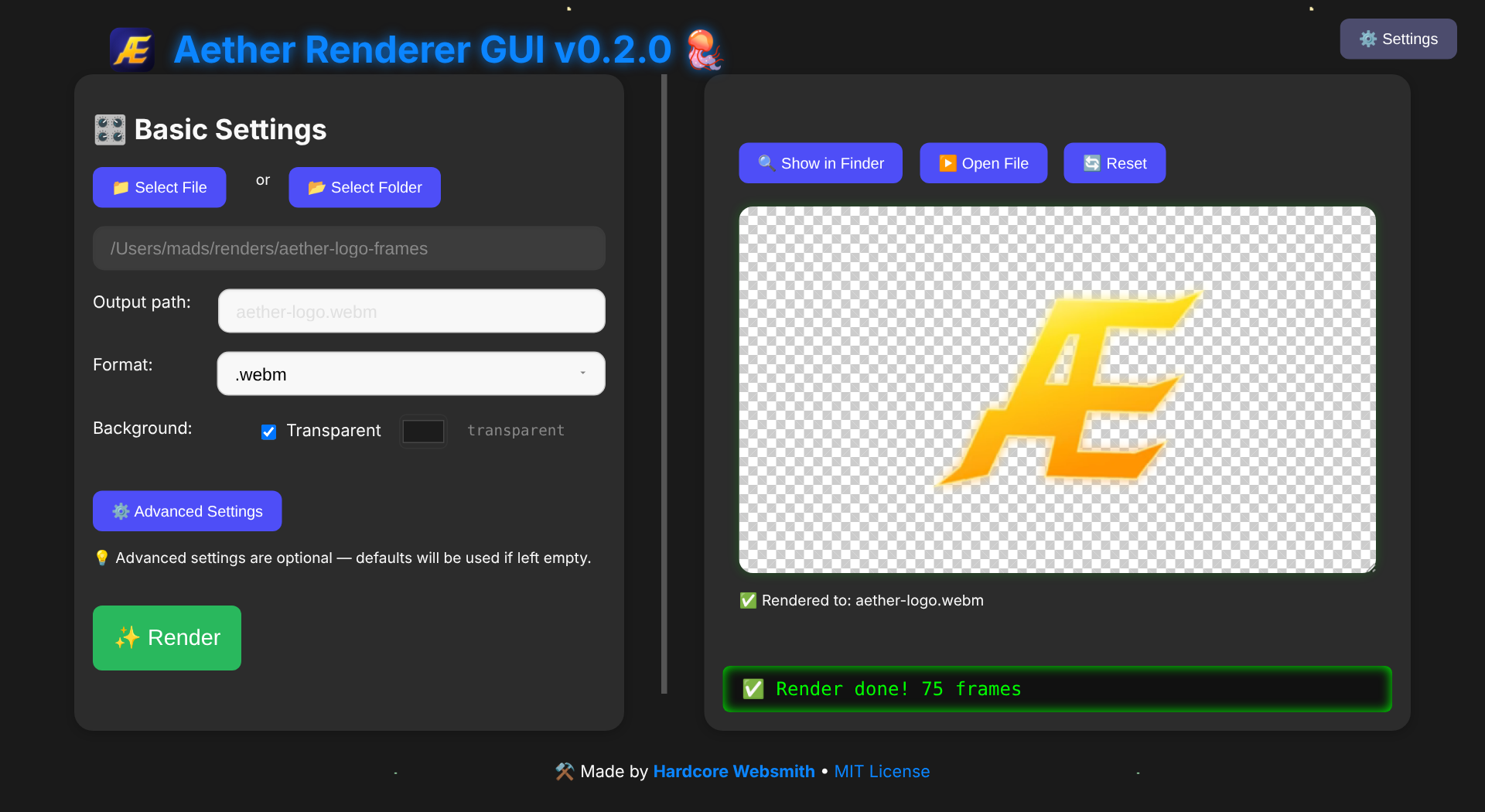
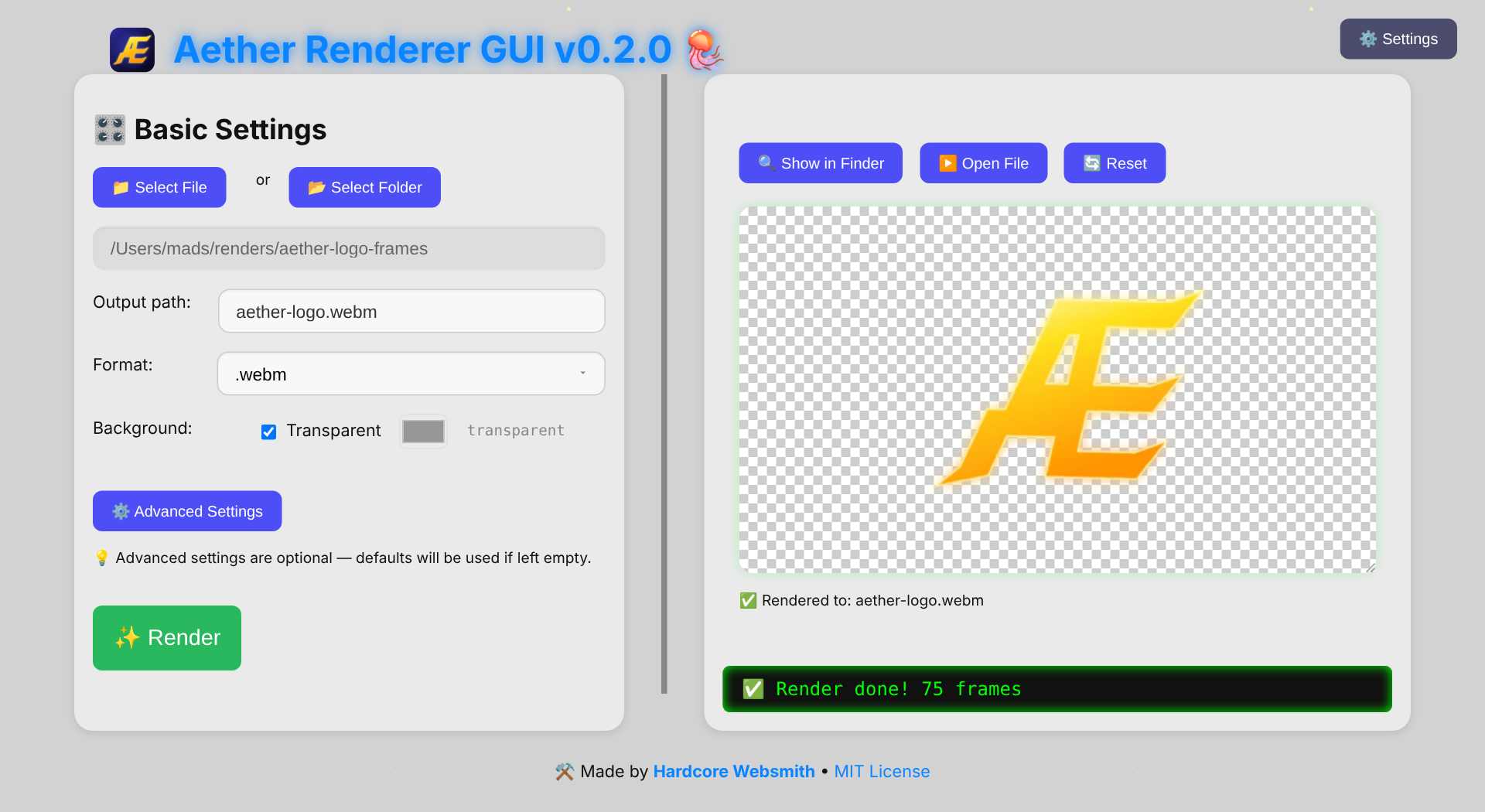
A small desktop app built with Tauri and Rust on top of the crate. Pick your frames, choose a format, press render. Works offline on macOS, Windows and Linux.
- 🎨 Keep transparency, or fill it with any background colour — with a warning when MP4 would turn it black
- 📊 Live progress bar with frames and percent, and real error messages
- 🏁 Preview the result on a checkerboard, so you can see the transparency
- 🎞️ WebM, ProRes MOV, GIF and MP4
- 🌗 Fade in / out, fps, CRF and bitrate in Advanced Settings
- 🌙 Light and dark theme

📦 Desktop app
📥 Download (.dmg · .msi · .AppImage) Needs ffmpeg installed. Source: github.com/madspaaskesen/aether-renderer-gui · Install guide: INSTALL.md
🎬 Coming next: record HTML & canvas
Point Aether Renderer at an HTML page — a p5.js sketch, a three.js scene, a CSS animation — and get a frame-perfect transparent video, with no changes to the page. Time is frozen and stepped frame by frame, so even heavy scenes come out at a perfect 60 fps.
🤝 Need video, image or desktop tooling?
I build Rust libraries, CLIs and Tauri desktop apps — media pipelines, file formats and the tooling around them — as Hardcore Websmith. I take on freelance work.
Selected Projects
A glimpse into the tools, love, and tech behind what I build.

Flixlar
Desktop caption editor for fast video workflows.

GIFmeta
Rust crate, CLI & desktop app: inspect GIFs, fix loops & delays, delete frames safely.
evmify
Open-source Rust crate: one API for EVM and non-EVM blockchains, always in EVM format.
whisper-captions
Open-source Rust crate: whisper.cpp output to caption-ready segments with word timings, SRT and VTT.
Aether Renderer
web2vid.com: web animations and PNG frames to transparent WebM, ProRes MOV, GIF or MP4. Desktop app, Rust crates & CLI.
mySiteChart
Lightweight service for visualizing analytics and user insight without complexity.
Sacred AI
A digital sanctuary for emotional healing and conflict resolution.
Digital Art Archive
Personal art and cultural preservation projects.
ownPost
Browser extension that lets you share your own articles to LinkedIn in one click.